

SIM Swap Fraud in Nigeria: How Fraudsters Hijack Your Number Without Touching Your Phone
SIM swap fraud can drain your bank account without a single OTP sent to you. Here's how it works in Nigeria, the warning signs, and how to protect yourself starting today.

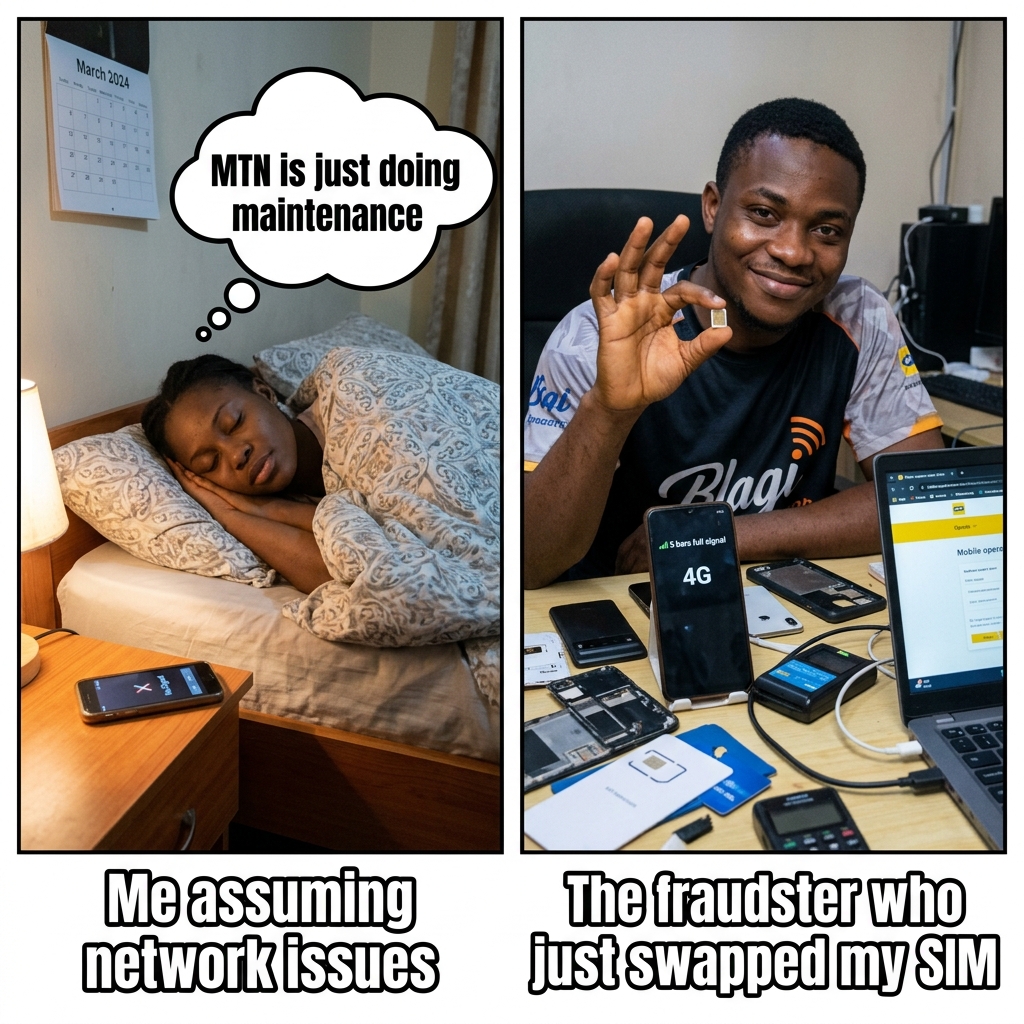
You wake up and your phone has no signal. You check the time — 6:14am. You assume it's MTN being MTN. You go back to sleep.
By 9am, you're at work. Your phone still has no signal. Odd, but not alarming yet. You connect to WiFi and open your banking app.
₦0.00.
Your account had ₦387,000 in it last night.
That's SIM swap fraud. And it happened while you were sleeping.
---
How SIM Swap Fraud Actually Works (Step by Step)
Understanding the mechanics is the first step to protecting yourself. Here's exactly how it's done:
Step 1: They collect your personal information.
Fraudsters buy personal data from data brokers, scrape it from social media, or get it from leaked databases. They need your full name, phone number, date of birth, and sometimes your BVN. If you've ever posted "happy birthday to me" on Facebook with your real birth year, that's Step 1 done for them.
Step 2: They walk into a telco service center or contact a compromised agent.
Armed with your basic information, the fraudster visits an MTN, Airtel, Glo, or 9mobile service center. They claim their SIM was lost or damaged and request a replacement. Some cases involve bribing a telco customer care agent directly.
Step 3: They provide basic identification matching your details.
The verification requirement for a SIM replacement is relatively low — often just your name, phone number, and some form of ID. Because your name, phone number, and date of birth are already on their list, they can pass basic verification.
Step 4: The new SIM is issued to the fraudster.
At this moment, your SIM is deactivated. Your phone loses signal. The new SIM in the fraudster's phone now receives all your calls, SMS, and most importantly — your bank OTPs.
Step 5: They log into your banking app.
Using your phone number (which they now control), your email (often guessed or accessed via a separate phishing attack), and your date of birth for password reset — they get into your bank account. Every OTP required goes to their phone. You receive nothing.
Step 6: Your account is drained.
Transfers go out. Multiple times. Quickly. By the time you realise your phone has no signal for a suspicious reason, the money is gone.
---
The 3 Warning Signs to Never Ignore
1. Sudden, unexplained loss of signal on your phone.
This is the most obvious sign. If your phone suddenly shows "No Service" and a restart doesn't fix it — don't assume it's a network outage. Call your number from another phone immediately. If it rings on the other end but your phone doesn't ring, your SIM has been swapped.
2. An SMS from your telco saying "SIM replacement successful" or similar.
Most telcos in Nigeria send a confirmation message when a SIM swap is processed. If you receive this message and you didn't request a swap, call your telco's emergency line immediately. Every second matters.
3. Calls and SMS that you expect aren't coming through.
If friends report calling you but you never heard it ring, or if you're not receiving OTPs that should be coming — investigate before assuming it's a network glitch.
---
What to Do If It's Happening RIGHT NOW
Time is critical. Do everything in this order, as fast as possible.
1. Call your bank from another phone — freeze your account.
Call the bank's 24/7 emergency line (printed on the back of your debit card). Tell them your SIM may have been swapped and you need an immediate account block. They can freeze outgoing transactions while you resolve the SIM issue.
2. Call your telco's emergency line to reverse the SIM swap.
Tell them your SIM was swapped without your authorisation and you need it reversed immediately. They can deactivate the fraudulent SIM and reactivate yours.
3. File a police report.
Get to the nearest police station as quickly as possible. The report date and time matters for any bank dispute or EFCC investigation that follows.
4. File a CBN complaint.
Email cpd@cbn.gov.ng with a full account of what happened. This triggers a formal investigation and your bank is legally required to respond.
5. Change all passwords from a different device.
Once your SIM is restored, change your internet banking password, email password, and any financial app passwords — from a device that is NOT connected to your regular phone number yet.
---
How to Protect Yourself Before It Happens
Lock your NIN at NIMC.
Call 800 (toll-free, works from any Nigerian line) and follow the prompts to place a lock on your NIN, preventing it from being used for unauthorized SIM swaps.
Ask your telco for a SIM swap lock or alert.
Most Nigerian telcos can place a restriction on your number that requires you to physically visit a service center with your original ID before any SIM replacement can proceed. Call your telco's customer care and specifically request this.
Enable transaction notification for all channels.
Make sure your bank sends you real-time alerts by email AND SMS for every transaction. If your SIM is swapped, you'll at least see the email alerts before your account is drained.
Use authenticator apps instead of SMS OTP where possible.
Google Authenticator, Microsoft Authenticator, or Authy generate OTPs on your device itself — not via SMS. Any platform that lets you switch from SMS OTP to authenticator app should be switched immediately. This completely eliminates the SIM swap OTP risk for those platforms.
Never post your full date of birth publicly.
Not on Facebook. Not on Instagram. Not in a birthday post where the year is visible. Your DOB is a key verification element for SIM swaps and account resets.
Be suspicious of anyone asking for your BVN, OTP, or PIN via call, SMS, or social media.
Your bank and your telco will never ask for these. If someone calls claiming to be from your bank and asks for your OTP to "verify" something — hang up. Call the bank yourself on their official number.
---
How Vtyield's Security Works in This Scenario
On Vtyield, your account uses a separate 4-digit transaction PIN that is not tied to SMS OTP. Even if a fraudster had your phone number and your login credentials, they cannot move funds from your Vtyield wallet without knowing your PIN — which is never transmitted via SMS.
This is by design. It's a separate authentication layer that SIM swap attacks cannot bypass.
For your regular banking, the mitigations above are what protect you. For your Vtyield transactions, the architecture itself is a protection layer you get automatically.
Stay safe. Move fast if you see any of the warning signs above.
Get more like this — free
No spam. Just useful Nigerian fintech tips, once a week.
You might also like
How to Verify a VTU Website Is Legit: 12-Point Checklist
Learn exactly how to spot a fake VTU platform in Nigeria and protect your funds using this straightforward verification checklist.
How to Verify a VTU Website Is Legit: 12-Point Checklist
Learn the exact steps to check if a Nigerian VTU platform is safe before you fund your wallet. Keep your money secure with this simple guide.
How to Check Your BVN and Link Your NIN to Your SIM Card (2026 Complete Guide)
Step-by-step instructions for checking your BVN number, retrieving a forgotten NIN, and linking your NIN to MTN, Airtel, Glo, and 9mobile SIM cards in 2026.
Ready to try it out?
Airtime, cheap data, electricity tokens, cable TV — delivered in seconds. No queues, no agents.
Account saves your history & earns you referral bonuses